Claude vs ChatGPT vs Gemini
Which AI Tool Should You Use?
Compare the three leading AI assistants by the work you actually need to complete: coding, research, writing, documents, productivity, multimodal tasks, integrations, and enterprise use.
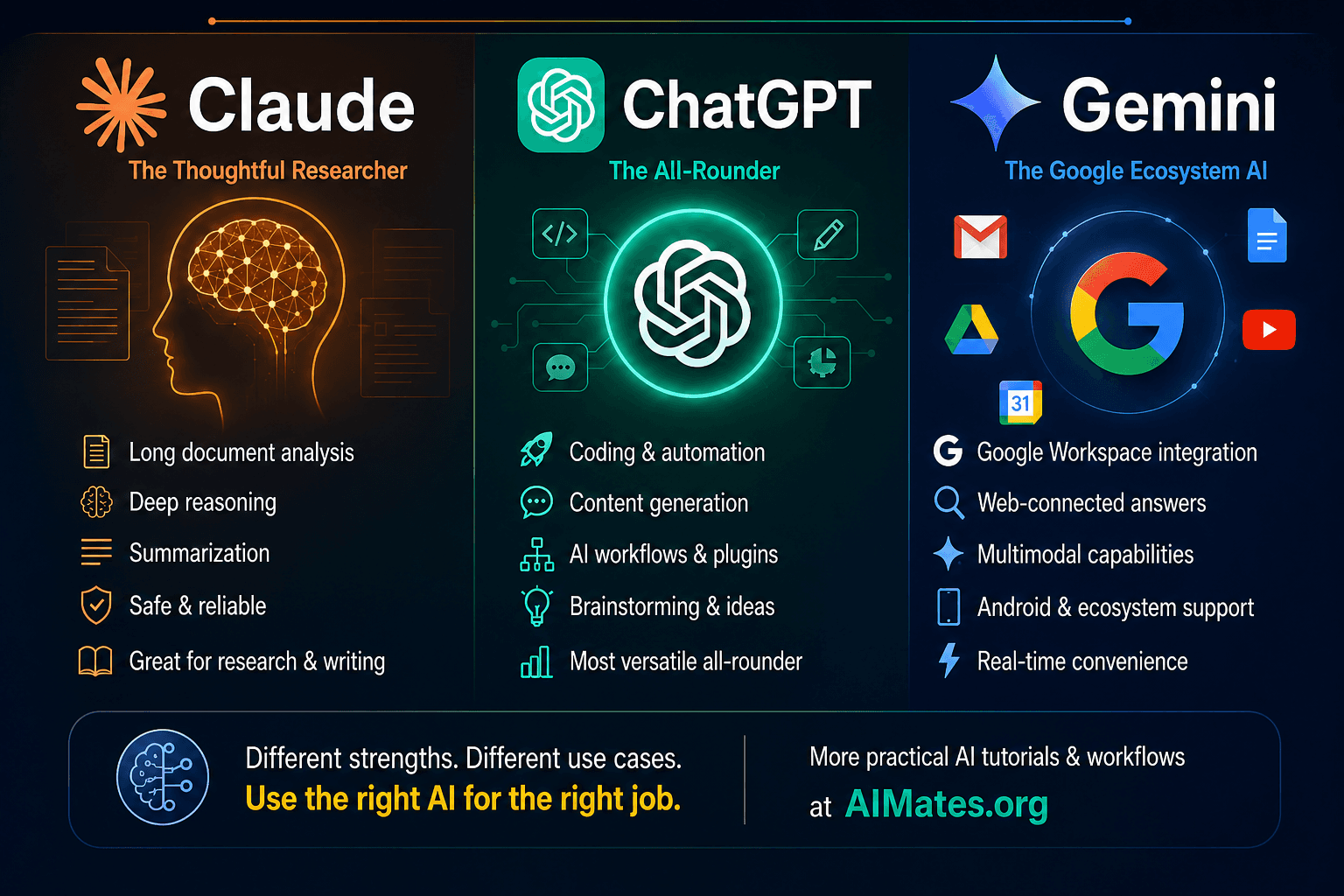
How to use this guide
Do not choose an AI assistant only because it won one benchmark or produced one impressive answer.
Choose based on repeated performance across your tasks, the surrounding product experience, integrations, privacy controls, cost, and how easily the output fits into your real workflow.
30-second recommendation
Start with ChatGPT
When you want one broad assistant for varied personal, technical, creative, and professional work.
Start with Claude
When substantial documents, careful analysis, structured writing, or focused coding work dominate your day.
Start with Gemini
When your work already centres on Google Workspace, Google services, connected productivity, or multimodal tasks.
First understand
You are comparing more than three models
ChatGPT, Claude, and Gemini are complete products that may expose different models, tools, interfaces, integrations, and plan-specific capabilities.
Product
The application you use
Chat interface, projects, files, research modes, coding experiences, memory, apps, and connected services.
Model
The intelligence underneath
Different models may prioritise speed, reasoning, coding, multimodality, context, or operating cost.
Platform
The developer and enterprise layer
APIs, cloud deployment, identity, governance, connectors, monitoring, administration, and contractual controls.
Choose by task
What are you trying to accomplish?
Use these recommendations as starting points, then validate them against your own work.
One flexible assistant for mixed daily work
Start with ChatGPT
A practical starting point when your work moves between writing, analysis, coding, research, files, and general problem-solving.
Long documents, careful analysis, and structured writing
Test Claude first
A strong candidate when your workflow centres on reading, reasoning through, editing, and producing substantial written material.
Gmail, Docs, Drive, Calendar, and Google-centred work
Test Gemini first
A natural starting point when your information and daily workflow already live inside the Google ecosystem.
Serious coding and software development
Compare the coding products directly
Do not judge coding only through a normal chat window. Test repository understanding, edits, tests, debugging, and terminal workflows.
Deep research with sources
Run the same question through all three
Compare source quality, research planning, coverage, citations, synthesis, and how easily you can refine the investigation.
An assistant for a company or regulated environment
Evaluate the platform, not only the answer
Include identity, administration, connectors, permissions, retention, compliance, APIs, regional availability, and total cost.
Product profiles
Where each assistant can fit
Broad general-purpose workspaceChatGPT+
A strong starting point for users who want one environment covering conversation, writing, coding, research, files, multimodal work, and connected workflows.
Reasons to test it
- ✓Broad range of everyday and professional tasks
- ✓Research and connected-source workflows
- ✓Coding, analysis, and structured content generation
- ✓Useful ecosystem for custom assistants and developer APIs
- ✓Strong choice when work changes frequently between task types
Consider before choosing
- •Available capabilities can differ by plan and region
- •A broad product may contain more features than one user needs
- •Important outputs still require verification
Document, coding, and professional-work specialistClaude+
A strong candidate for substantial documents, careful writing, analysis, software work, Artifacts, and longer-running professional tasks.
Reasons to test it
- ✓Reading and transforming substantial written material
- ✓Structured writing and thoughtful analysis
- ✓Coding and agentic software-development workflows
- ✓Artifacts for building and refining standalone outputs
- ✓Strong fit for focused professional work
Consider before choosing
- •Your preferred integrations may influence the experience
- •Not every workflow needs long-form analysis
- •Tool and plan availability should be checked before committing
Google-connected multimodal assistantGemini+
A strong candidate for users working heavily with Google services, Workspace content, multimodal inputs, research, and connected productivity.
Reasons to test it
- ✓Close relationship with Gmail, Drive, Docs, Calendar, and Google services
- ✓Strong multimodal and media-oriented capabilities
- ✓Deep Research and web-connected workflows
- ✓Useful fit for organisations already centred on Google Workspace
- ✓Broad consumer, productivity, and developer ecosystem
Consider before choosing
- •The strongest advantage appears when you already use Google services
- •Product and model options can be confusing to new users
- •Workspace access still requires appropriate permissions and controls
Compare
Practical workflow matrix
These are starting positions, not permanent rankings. Product updates and plan differences can change the experience.
| Workflow | ChatGPT | Claude | Gemini |
|---|---|---|---|
| Mixed daily work | Strong starting point | Strong | Strong, especially with Google |
| Long document analysis | Strong | Strong starting point | Strong |
| Professional writing | Strong and flexible | Strong starting point | Strong |
| Coding and debugging | Strong ecosystem | Strong coding workflows | Strong, especially in Google tooling |
| Deep web research | Strong | Strong | Strong |
| Google Workspace | Available through integrations | Available through integrations | Natural starting point |
| Creating interactive outputs | Strong | Artifacts are a notable option | Canvas and multimodal tools |
| Multimodal work | Broad support | Strong document and image understanding | Strong multimodal focus |
| Enterprise deployment | Evaluate platform controls | Evaluate platform controls | Evaluate Workspace and cloud fit |
Coding comparison
Do not compare coding with one isolated function
A serious comparison should use a real repository and measure the complete engineering workflow.
Understand
Can it explain the architecture and existing behaviour?
Change
Can it make a focused modification without breaking unrelated code?
Validate
Can it run or propose meaningful tests and diagnose failures?
Review
Can it identify security, edge cases, maintainability, and performance concerns?
Research comparison
Research quality is more than report length
Plan
Does it break the question into useful research areas?
Sources
Are sources credible, current, and diverse?
Evidence
Are claims connected to the cited material?
Uncertainty
Does it separate facts, disagreement, and speculation?
Refinement
Can you correct direction and add trusted sources?
Evaluate
Eight things to compare
Output quality
Does it produce accurate, useful, well-structured results for your repeated tasks?
Source quality
For research, are the sources credible, relevant, current, and connected to the claims?
Workflow fit
Can you continue the work naturally with files, projects, tools, apps, or connected data?
Consistency
Does it perform reliably across several representative examples rather than only one impressive prompt?
Speed
Is the response time appropriate for your interactive and long-running tasks?
Control
Can you manage instructions, permissions, sources, tool access, and review steps?
Cost
Does the subscription or API cost make sense for the value and frequency of use?
Privacy
Do the product settings, contracts, retention rules, and regional controls meet your requirements?
Run your own test
A practical 30-minute comparison
Give each assistant the same task, context, source material, and evaluation criteria.
WritingComparison prompt+
Rewrite this project update for senior leadership. Preserve all facts, remove repetition, highlight three risks, and end with the decisions required.
ResearchComparison prompt+
Research the current state of enterprise AI agent adoption. Use credible sources, separate evidence from predictions, and identify unresolved risks.
CodingComparison prompt+
Review this Python service for correctness, security, error handling, maintainability, and test coverage. Explain each issue before proposing changes.
Document analysisComparison prompt+
Analyse this contract. Extract obligations, deadlines, financial exposure, ambiguous clauses, and questions requiring legal review.
ArchitectureComparison prompt+
Review this RAG architecture. Identify the five largest production risks and return a mitigation table with impact, likelihood, priority, and owner.
ProductivityComparison prompt+
Turn these meeting notes into decisions, actions, owners, deadlines, unresolved questions, and a concise follow-up email.
Enterprise decision
The best answer is not enough
Organisations must evaluate the full operating environment around the assistant.
Model flexibility
Using more than one can make sense
Individual professionals often use multiple assistants. Companies may also route different tasks to different providers.
Task
Identify requirement
Policy
Check allowed data
Route
Select platform
Generate
Complete the work
Evaluate
Check quality
Deliver
Return result
Final recommendation
Choose the workflow winner, not the internet winner.
ChatGPT is a strong general starting point. Claude is especially worth testing for substantial documents, structured professional work, and coding. Gemini is especially worth testing when Google Workspace, Google services, or multimodal workflows are central.
Remember the practical pattern:
Define your tasks → test the same inputs → score the outputs → evaluate integrations and controls → choose the assistant that repeatedly fits your work.
Frequently asked questions
Common questions
Which is best overall: Claude, ChatGPT, or Gemini?+
There is no permanent overall winner. ChatGPT is a strong general starting point, Claude is particularly attractive for substantial documents, writing, and coding workflows, while Gemini is a natural starting point for Google-centred and multimodal work. Your repeated tasks should determine the final choice.
Which AI is best for coding?+
All three can assist with coding. Test their dedicated coding experiences using your own repository, language, tests, debugging workflow, and review standards rather than judging from a small code-generation prompt.
Which is best for research?+
All three provide research-oriented capabilities. Compare the same question across them and assess source quality, coverage, citations, synthesis, and how easily the research can be corrected or extended.
Should a company use only one AI provider?+
Not necessarily. Some organisations standardise on one platform for governance, while others use several providers for different applications. The trade-off is between flexibility and operational complexity.
Continue learning
Turn the right assistant into useful work
Prompting
Prompt Engineering for Real Work
Learn how to give any assistant clearer tasks, context, boundaries, and output requirements.
Agents
Build Your First AI Agent
Move from conversational assistance to controlled tools and execution workflows.
Knowledge
RAG Explained
Connect language models to trusted documents and enterprise knowledge.